

Pick a delivery method
There are four, plus None.Text — unique per order
A pool of lines, one handed to each item sold: licence keys, gift-card codes, account logins, e-pins. Use this when every customer must get something different. This is the only method that can run out, and the only one with a stock count.Text — same for everyone
One block of text every buyer receives: a Discord invite, a coupon, a set of instructions. Up to 10,000 characters. Use this when the thing you are selling is the same for everybody and never runs out.File — download every buyer receives
One file, up to 100 MB — a ZIP, PDF, text or JSON file. It is kept in private storage and never made public; buyers reach it through a short-lived download link generated for them. Use this when you are selling an ebook, a pack of assets, a template or software.Redirect
Anhttps:// address the buyer is sent to after paying — your own fulfilment page, a
course platform, a vendor portal.
Use this when something else already does the handing over and just needs the buyer
delivered to it.
None
The buyer gets a receipt and nothing else. Perfectly valid when you fulfil by hand.Quantity limits
Every method except None lets you set Min quantity per order and Max quantity per order. Leave the maximum blank for no limit — for a stock pool that means “as many as are left”.Managing stock
Stock applies to Text — unique per order only. Once you save that method, a Stock card appears.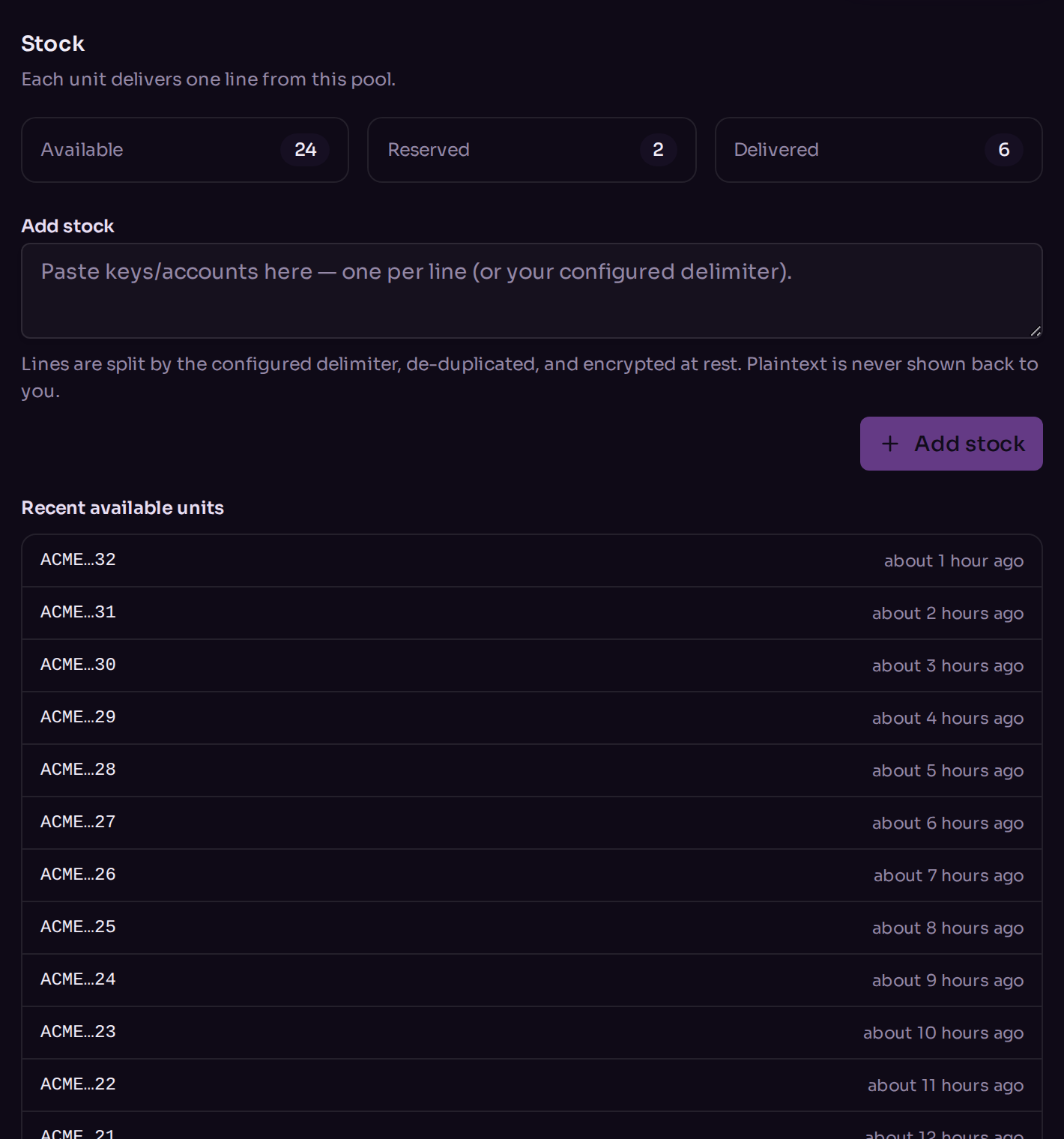
The stock manager, with the three counters and the bulk paste box.
- Available — ready to sell.
- Reserved — held for an order that has not been paid yet. If that order expires, the units come back to Available.
- Delivered — already handed to a customer.
Adding stock
Paste your lines into Add stock and press the button. Up to 10,000 lines at a time. Taberna splits them on your delimiter, trims each one, drops blanks, and skips anything already in the pool — so pasting the same batch twice is safe, and it tells you how many duplicates it skipped. Your stock is encrypted at rest, and Taberna never shows it back to you in full. The recent-units list masks each line to its first few and last two characters.Delimiter and order
Two settings on the Delivery card control how the pool behaves:- Delimiter — how your pasted text is split into units. New line, comma, space, or something of your own up to 8 characters.
- Selection order — FIFO hands out the oldest units first, LIFO the newest. FIFO is the sensible default.
Running low
Below 10 available units the card shows a low-stock warning. Take it seriously: when the pool empties, customers cannot buy the product at all.Clearing stock
Clear available stock deletes unsold units and leaves reserved and delivered ones alone. It cannot be undone.What to read next
Orders and payments
Watching a sale complete.
Products
The product form itself.