

The four roles
You pick a role when you invite someone, and you can change it later.
The split is between running the shop and setting it up:
- A manager runs it day to day — products, stock, invoices, how the storefront looks, and the API keys and webhooks that connect the store to your own software.
- An admin does all of that and sets the store up: its name, its web address, and which coins it takes.
- A viewer sees everything the dashboard shows — orders, invoices, products, analytics, storefront settings and payout addresses — and changes none of it. They can read every product and every invoice; they just cannot write one.
- Only an owner can move where the money goes or change who is on the team.
Why some things are admin-only
Two of these look like ordinary storefront settings, and are not. Your web address and your custom domain. A manager can restyle the whole shop but cannot rename it. Changing your address breaks every checkout link already out there — in emails, in chats, in invoices your customers have not paid yet. Which coins you accept. Every role can see your payout addresses, but only an owner can set one. Switching on a coin whose network has no payout address is a mistake a manager cannot fix, so it sits with an admin.Invite someone
Press Invite Member, enter their email address, and choose Admin, Manager or Viewer. There is no owner option — see Handing a store over. They need a Taberna account on that email address already. If they do not have one, ask them to sign up first, then invite them.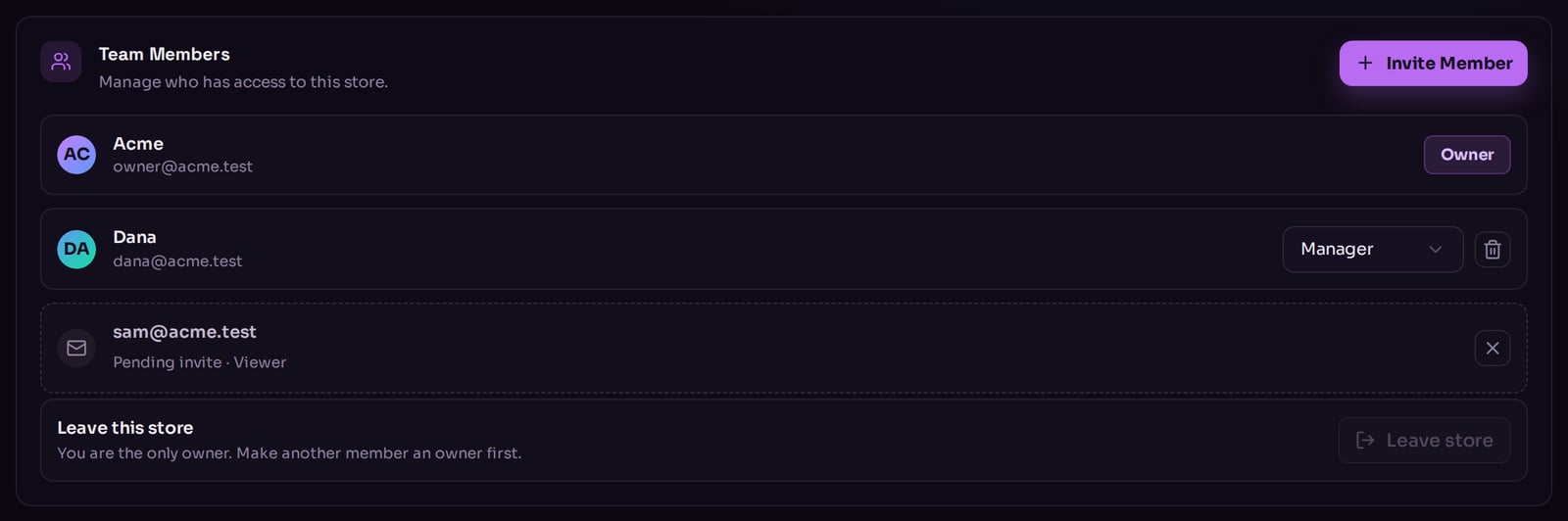
The team list, with one pending invitation.
Someone who should not be in your dashboard at all — an outside contractor wiring up
your software, say — does not need a seat on the team. Give them an API key limited
to exactly what their code has to do, from Developers → API Keys. That is what
API keys are for.
Change someone’s role
Use the dropdown on their row. It takes effect immediately and does not ask you to confirm, so aim carefully. Two things you cannot do:- Change your own role. Your row shows a plain label instead of a dropdown.
- Demote the last owner. Every store keeps at least one.