

How it works
- Write the line items and press Create.
- Email it to your customer, or copy the payment link and send it yourself.
- They pay in crypto on a hosted page and you both get a receipt.
Create an invoice
Press New invoice. Items. One row each: a name, a quantity, a unit price and an optional description. Add up to 100 rows; the total is worked out as you type. Customer. A name and an email address, both optional — but you can only email an invoice if it has an email address on it, and the address cannot be changed afterwards. Details. Currency (USD or EUR), when it expires — 24 hours, 3 days, 7 days or 30 days, with 7 days pre-selected — and a memo of up to 5,000 characters, shown to the customer on the invoice.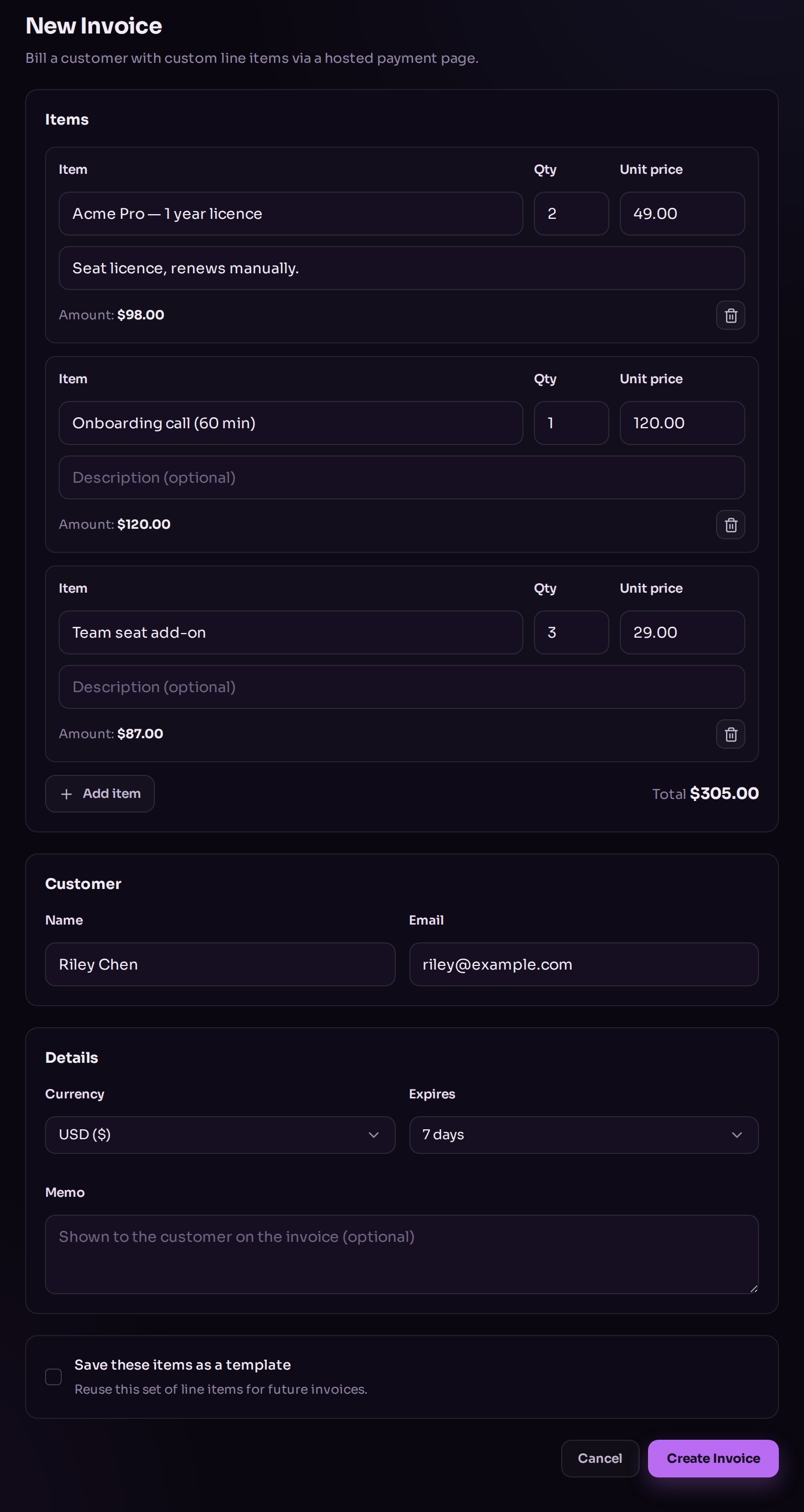
Creating an invoice with line items and a customer.
Templates
If you bill the same thing repeatedly, tick Save these items as a template and give it a name. Next time, pick it from Start from template and the line items, memo and expiry are filled in for you — your customer details are left alone. Templates have their own tab on the invoices page. Deleting one does not affect invoices already created from it.Send it
Open the invoice. While it is still open you have three actions:- Send invoice — emails it to the address on the invoice.
- Copy payment link — for sending it yourself, however you like.
- Void — cancels it. The payment link stops working, and it cannot be undone.
The email allowance
Emailing is limited, so a mistake cannot turn into a mail flood:- 3 sends per invoice, and at least 5 minutes between them.
- 100 invoice emails per store per day, over a rolling 24 hours.
An invoice can only ever be emailed to the address stored on it. If you sent it to
the wrong person, void it and create a new one — there is no way to change the
recipient.
What your customer receives
An email from your store with the invoice number, the total and a button to a hosted payment page. There they pick a coin, pay, and get a receipt. You see the payment appear on the invoice, with a link to the transaction.Invoice statuses
You can filter the list by status. There is no search box and no export.