

The four statuses
Completed and expired are final. So is partial, which is why it needs a word.
When an order goes partial
Your customer sent something, but not enough, and the clock ran out. That money is still forwarded to your payout wallet — Taberna does not strand it — but the order is not complete and nothing was delivered. Nothing happens automatically from here. Your options are to honour the sale anyway, ask the customer to buy again, or send their money back from your own wallet. Taberna cannot refund it for you.What the buyer sees
They pick a coin from the ones you accept, and Taberna locks a price in that coin for up to 30 minutes. They see the exact amount, an address and a QR code, then a progress indicator while the network confirms it. If they change their mind about which coin to use, they can switch — the old address keeps working anyway, so money already sent is never lost. If the 30 minutes run out with nothing paid, nothing is lost either: they simply pick a coin again and get a fresh price.The orders list
Seven columns: Product, Qty, Amount, Status, Method, Customer and Date, twenty to a page.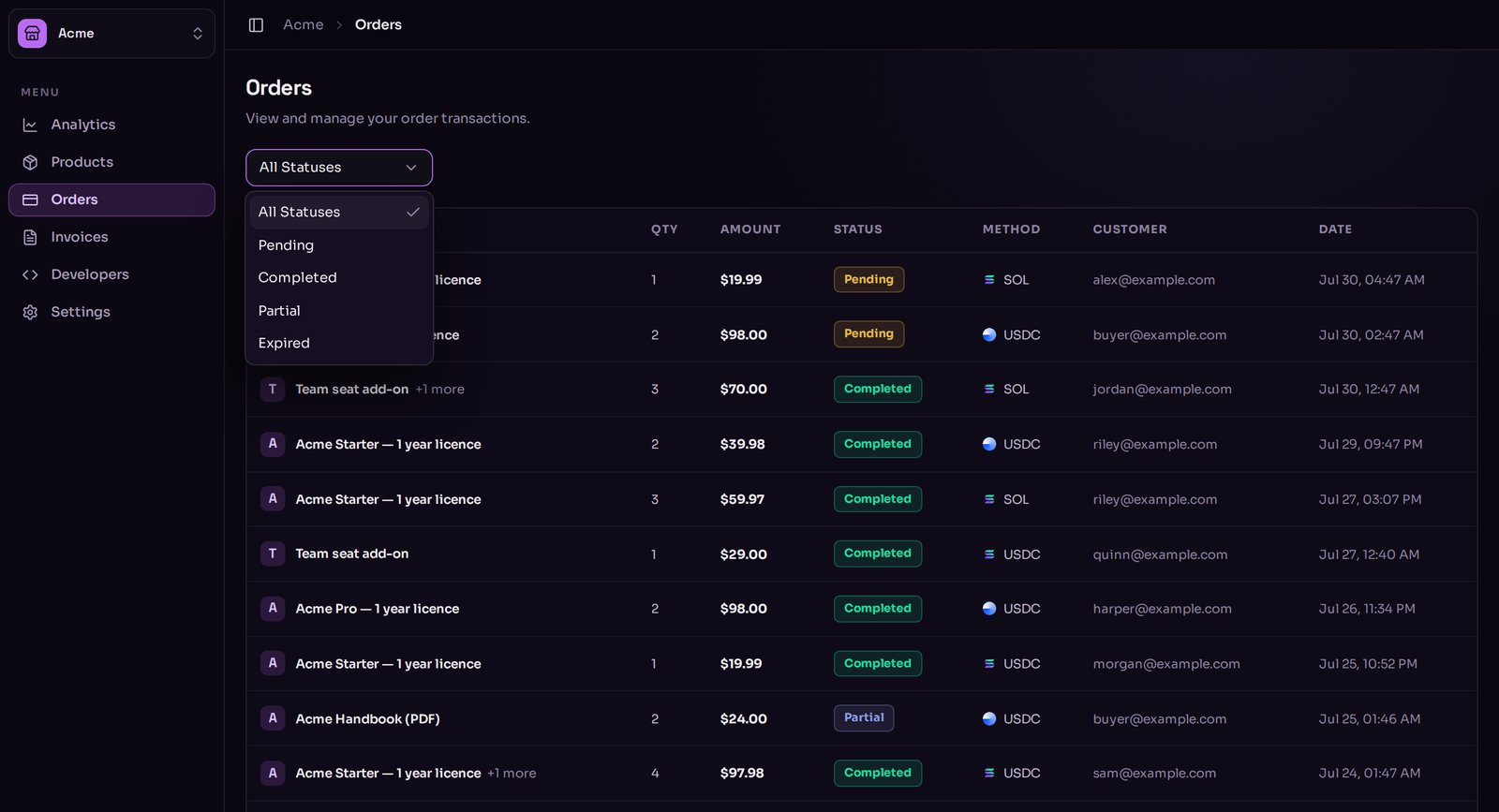
The orders list with the status filter open.
An order’s page
Click any row. You get:- Summary — when it was created, when it expires, when it completed, how many units.
- Customer — their email address and the IP address they paid from.
- Items — each product, quantity, unit price and the total.
- Payments — one block per attempt, newest first. A customer who switched coins or let a price lapse will have several. Each shows the coin, the attempt’s status, the amount quoted, the amount received and the deposit address.
- On-chain payment — the actual transactions, each linking out to a block explorer so you can see them for yourself.
- Settlement — whether the money has reached your wallet yet, in plain English. See How you get paid.
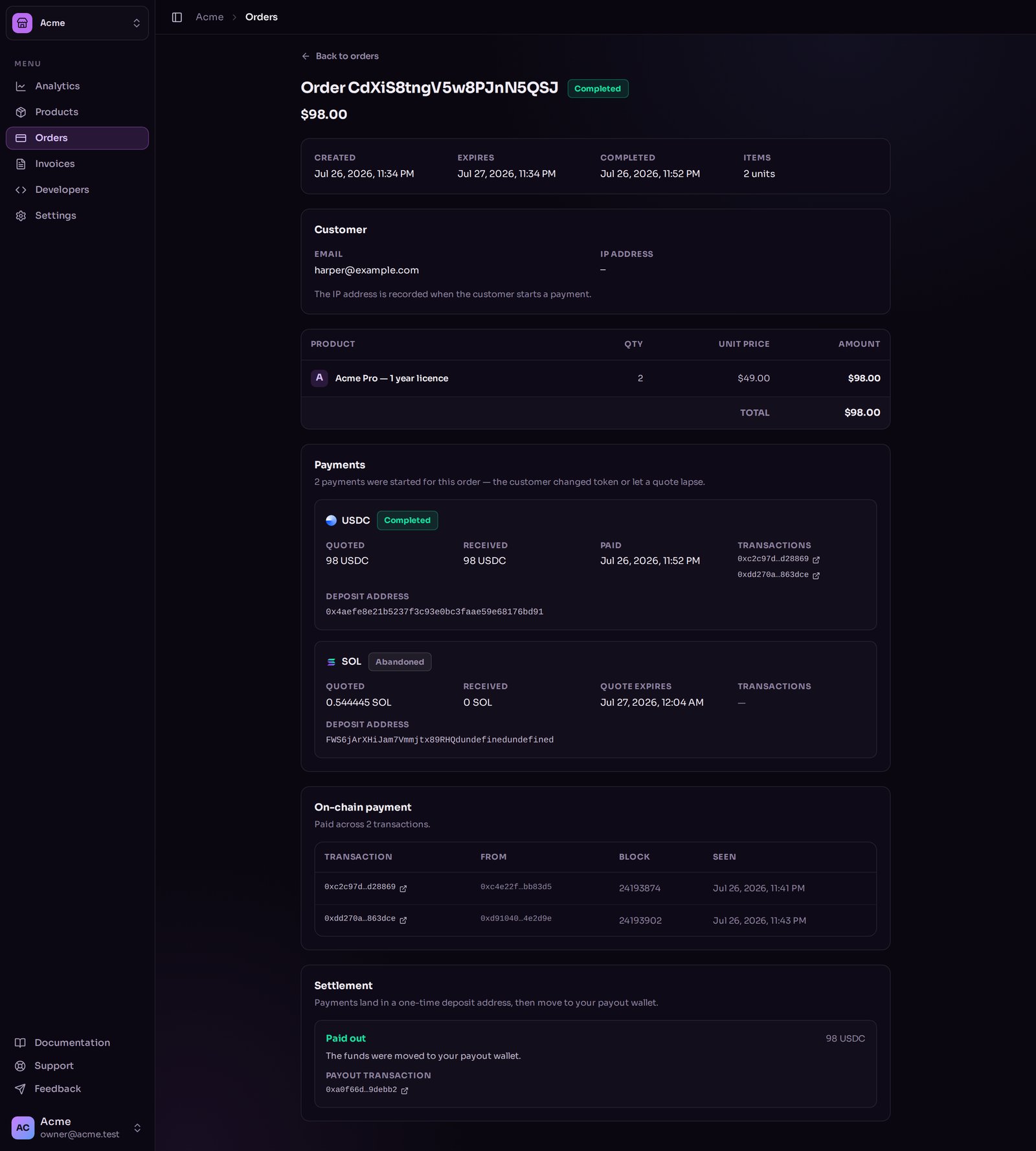
An order page, showing the payment attempts and the on-chain transaction.
What you cannot do to an order
Orders are a record, not a control panel. From this page there is no refund button, no manual fulfil button, no cancel button and no way to re-send a delivery. If a customer lost the keys they were sent, you send them again yourself.What to read next
How you get paid
From the deposit address to your wallet.
What Taberna does not do
The full list, stated plainly.